best CRM software for business
I’ll never forget the day our sales team nearly mutinied. It was a Tuesday morning, and Sarah from sales stormed into my office with printouts of three different spreadsheets—each showing different numbers for the same client. “Which one is right?” she demanded. “Because I just quoted a customer based on outdated pricing, and now we look incompetent.”
That was the moment I knew our patchwork system of Excel sheets, Google Docs, and a clunky legacy CRM wasn’t cutting it anymore. We were a growing business—45 employees, three departments, and complete chaos when it came to customer data.
I spent the next six months implementing a new CRM. I tested Salesforce, HubSpot, Zoho, Pipedrive, and eight others. I sat through demos, read comparison articles, and talked to other business owners. Eventually, I chose Odoo.
Three years later, it’s one of the best business decisions I’ve made. But it wasn’t an obvious choice at first, and honestly, Odoo isn’t right for everyone. Let me share what I learned—the good, the challenging, and what you need to know before making your own decision.
What Makes a CRM Actually Useful (Lessons from My Failures)
Before diving into Odoo specifically, let me save you some pain by sharing what I learned the hard way.
My first CRM attempt was a disaster. I chose a popular cloud-based system that looked beautiful in demos. It had every bell and whistle imaginable. My team hated it. Why? Because it was designed for enterprise sales teams with dedicated CRM managers, not for a mid-sized manufacturing company where sales reps also handle customer service calls.
The system was so complicated that entering a simple customer note took six clicks through different menus. Within three weeks, my team was back to their old spreadsheets, and we’d wasted $15,000 on annual licenses.
That failure taught me what actually matters in a CRM:
Adoption beats features every time. The fanciest system in the world is worthless if your team won’t use it. I learned to prioritize simplicity and workflow alignment over impressive feature lists.
Integration is non-negotiable. Your CRM needs to talk to your other tools—accounting software, email, inventory management, whatever you use. Manual data entry between systems guarantees errors and wasted time.
Flexibility matters more than perfection. Every business is different. The CRM that works for a SaaS startup won’t work for a construction company. You need something you can customize to match your actual processes.
Total cost includes more than license fees. Implementation costs, training time, customization expenses, and ongoing maintenance add up fast. Some “affordable” options became expensive once we factored in everything.
With those lessons burned into my brain, let me tell you about Odoo.
What Exactly Is Odoo? (The 60-Second Version)
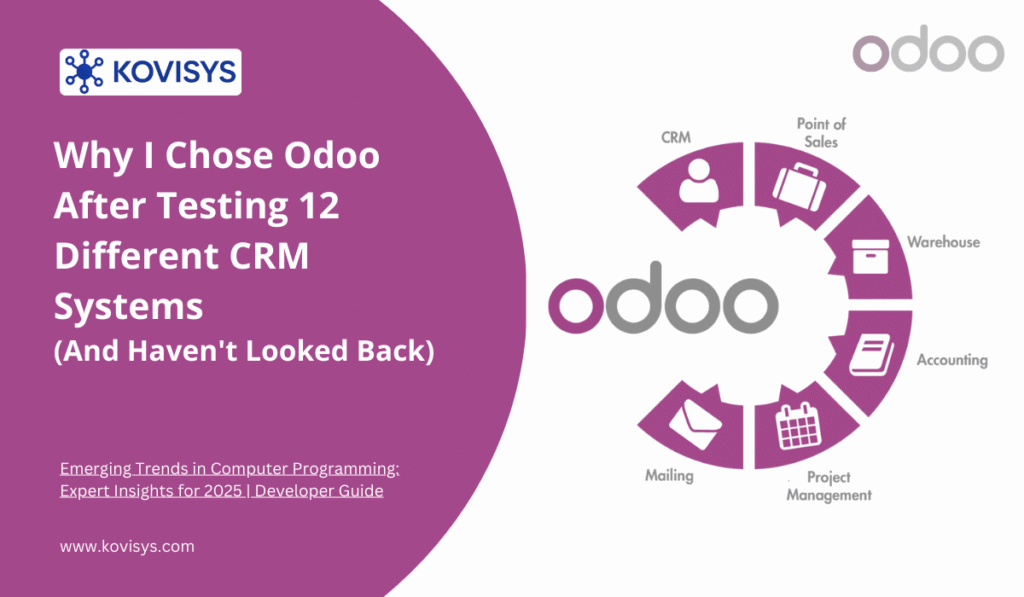
Odoo is an open-source business management suite that includes CRM as one of its core modules. Think of it as a Swiss Army knife for business software—CRM, inventory, accounting, project management, manufacturing, e-commerce, and about 30 other applications that all work together seamlessly.
The open-source part is important. Unlike proprietary systems where you’re locked into whatever the vendor decides, Odoo gives you access to the source code. You can customize it, extend it, or hire someone to build exactly what you need.
But here’s where it gets interesting: Odoo offers both a free community edition and a paid enterprise edition. This flexibility was crucial for us—we started with the community version, got comfortable with the system, then upgraded specific modules to enterprise as our needs grew.
My Odoo Journey: From Skepticism to Convert
I was initially skeptical about Odoo. “Open source CRM?” I thought. “That sounds like something that’ll require a computer science degree to maintain.”
I was wrong, but I understand the hesitation. Let me walk you through what actually happened when we implemented it.
Month 1: Testing and Setup
I started by installing Odoo’s community edition on a test server. This is where the open-source nature paid off immediately—I could try everything without talking to a single salesperson or committing any money.
The interface surprised me. It was clean, modern, and intuitive. My previous experience with open-source software involved clunky interfaces that looked like they were designed in 2005. Odoo felt like a modern SaaS application.
I spent two weeks just clicking around, creating test customers, building sample pipelines, and figuring out how the system thought. This exploratory phase—with zero financial pressure—was invaluable.
Pro tip: Don’t skip this testing phase. Create realistic scenarios from your actual business. Try to break things. See how it handles your edge cases. I discovered several workflow issues during testing that would have been nightmares to fix after full deployment.
Month 2: Customization and Integration
This is where Odoo’s modular nature became obvious. Instead of a monolithic system where you get everything or nothing, I could activate only what we needed.
We started with:
- CRM for sales pipeline management
- Sales module for quotes and orders
- Inventory for stock tracking
- Invoicing (connected to our accounting software)
Each module integrated automatically. When a sales rep converted a quote to an order, inventory adjusted. When we fulfilled an order, invoicing happened automatically. The data flowed without manual intervention—exactly what I needed after the Sarah spreadsheet incident.
I did hire a consultant for two days to help with custom fields specific to our industry. Cost: $1,200. That consultant configured custom views, automated some workflows, and trained me enough to handle future changes myself. Compare that to the $25,000 implementation quote I got from Salesforce.
Month 3: Team Training and Rollout
I learned from my previous failure: I involved the team early this time.
I created a test environment with real customer data (anonymized for testing). I had each team member spend an hour doing their actual daily tasks. Sarah created quotes. Tom from customer service logged calls and issues. Maria from operations tracked inventory.
Their feedback was honest and incredibly valuable. Sarah pointed out that our sales process needed a custom stage I hadn’t considered. Tom wanted quick access to a customer’s order history when they called. Maria needed inventory alerts configured differently than I’d set them up.
We made these changes before the official launch. When we finally went live, the team was invested because they’d helped shape the system. Adoption was smooth—completely different from my first CRM disaster.
The Features That Actually Matter (In Real-World Use)
After three years of daily use, here are the Odoo features that transformed how we work:
Pipeline Management That Makes Sense
The CRM pipeline is visual, customizable, and actually reflects our sales process. We created stages that match our reality: Initial Contact, Needs Assessment, Proposal Sent, Negotiation, Won/Lost.
Drag and drop works perfectly. My sales team can move deals through stages with one click. They can see their entire pipeline at a glance. No more spreadsheets, no more confusion about where each opportunity stands.
But here’s what really matters: I can see it too. I have a real-time dashboard showing our pipeline value, conversion rates by stage, and which deals are stuck. Last month, I noticed three large deals sitting in “Proposal Sent” for over two weeks. I checked in with those reps, discovered they were waiting on pricing from suppliers, and we solved the bottleneck. That visibility saved those deals.
Activity Tracking That People Actually Use
Every interaction gets logged automatically. Phone calls, emails, meetings, notes—everything lives with the customer record. My team doesn’t have to remember to update the system separately because it’s part of their natural workflow.
When Sarah is on a call with a customer, she has Odoo open. She sees the entire history: previous orders, support tickets, past conversations, everything. She can answer questions confidently and spot upsell opportunities naturally.
This was impossible with our old system where information lived in five different places.
Email Integration That Just Works
Odoo connects to our email server. When a customer emails Sarah about a quote, that email automatically attaches to the opportunity record. When Sarah replies, it’s tracked. The entire conversation history is captured without anyone manually copying messages into the CRM.
This sounds basic, but you’d be surprised how many systems make email integration complicated or charge extra for it. With Odoo, it worked out of the box.
Automation That Saves Hours Every Week
We’ve automated repetitive tasks that used to waste time:
- When a deal reaches “Proposal Sent,” Odoo automatically schedules a follow-up activity for three days later
- If an opportunity sits unchanged for seven days, it alerts the sales rep and their manager
- When we win a deal, it automatically creates the sales order and notifies the operations team
- Monthly reports generate automatically and email to relevant managers
I calculated recently: these automations save each sales rep about 5 hours per week. Across five reps, that’s 25 hours—more than three full workdays—we’ve reclaimed for actual selling instead of administrative busywork.
Customization Without Hiring Developers
Remember how I mentioned hiring a consultant for two days? That was three years ago. Since then, I’ve made dozens of customizations myself without writing any code.
Need a new field to track where customers heard about us? Add it in five minutes. Want to change the pipeline stages? Drag and drop to reorder or add new ones. Need a custom report showing specific metrics? The report builder is powerful enough for most needs.
For more complex customizations—like when we needed integration with specialized manufacturing equipment—we hired developers. But the daily tweaks and adjustments? I handle those myself, which keeps us agile and responsive.
The Enterprise Edition: When and Why to Upgrade
We started with Odoo Community Edition (free and open source). After six months, we upgraded specific modules to Enterprise Edition. Here’s why:
Community Edition gave us: Core CRM functionality, basic customization, all the essential features. It was perfect for testing and proving the system worked for us.
Enterprise Edition added:
- Professional support from Odoo
- Advanced reporting and dashboards
- Mobile app access (game-changer for field sales)
- Additional features like website integration and marketing automation
- Odoo Studio for no-code customization
The cost was reasonable—$25 per user per month for the enterprise features we needed. Compare that to Salesforce ($150 per user) or Microsoft Dynamics ($65 per user), and the value proposition is clear.
My advice: Start with Community Edition if you’re cautious about commitment. You can always upgrade later. All your data migrates seamlessly. There’s no penalty for starting free and upgrading when the value becomes obvious.
The Honest Challenges (Because Nothing Is Perfect)
I’ve praised Odoo extensively, but let me be honest about the challenges:
The Learning Curve Is Real
Odoo is powerful, which means it’s not always simple. The first few days, my team was frustrated. There’s a learning curve, especially if you’re coming from spreadsheets or a very basic CRM.
We addressed this with dedicated training time. I blocked off two hours where the team could experiment, ask questions, and get comfortable without the pressure of actual work. Within a week, everyone was proficient. Within a month, they were teaching me new tricks.
The lesson: Budget time and patience for learning. It’s an investment that pays dividends, but it’s still an investment.
The Community Edition Has Limitations
The free version is genuinely useful, but it does have constraints. Some advanced features require the enterprise edition. Mobile access is limited. Support comes from community forums rather than dedicated helpdesk.
For small businesses or those testing the waters, community edition is perfect. But growing companies will likely want enterprise features eventually.
Customization Can Become a Trap
The ability to customize everything is amazing until it isn’t. I’ve seen businesses over-customize, creating systems so complex that nobody can maintain them.
My rule: customize only when the business case is clear. Don’t add fields or features “just in case” or because you can. Keep it as simple as possible while meeting your actual needs.
You Need Technical Comfort (Or a Partner)
While daily use doesn’t require technical expertise, initial setup and significant customizations benefit from technical knowledge. If you’re not comfortable with server administration, database concepts, or troubleshooting, you’ll want to work with an Odoo partner for implementation.
This isn’t necessarily bad—partners can accelerate implementation and avoid costly mistakes. But it’s a consideration, especially for very small businesses with no technical resources.
Who Should Choose Odoo? (And Who Shouldn’t)
After implementing Odoo and talking with dozens of other business owners about their CRM choices, here’s my honest assessment:
Odoo Is Excellent For:
Growing businesses that need more than basic CRM but don’t want enterprise-level costs. That sweet spot of 10-200 employees where you need serious capabilities but have limited budgets.
Companies with complex processes that need customization. If your business is unique and off-the-shelf solutions don’t fit, Odoo’s flexibility is invaluable.
Businesses wanting all-in-one solutions. If you need CRM plus inventory, plus accounting, plus project management, Odoo’s integrated approach beats buying separate tools.
Organizations with some technical capability. Whether in-house or through a partner, having access to technical resources maximizes Odoo’s potential.
Budget-conscious decision-makers who want enterprise features without enterprise prices. You can start free and scale up gradually.
Odoo Might Not Be Right For:
Pure simplicity seekers who just need very basic contact management might find Odoo overpowered. Something like Streak or Nimble might be better fits.
Large enterprises with massive deployments and complex compliance requirements might need enterprise-grade vendors like Salesforce or Microsoft Dynamics despite the cost.
Companies without any technical resources and unwilling to hire partners might struggle with implementation and maintenance.
Businesses needing instant deployment. Cloud-based SaaS products can be running in minutes. Odoo requires more thoughtful implementation, especially if you’re self-hosting.
The Implementation Advice I Wish Someone Had Given Me
If you’re considering Odoo, learn from my mistakes and successes:
Start Small, Think Big: Don’t try to implement everything at once. We started with just CRM and Sales. Once those worked smoothly, we added other modules. Phased implementation reduces overwhelm and increases success rates.
Involve Users Early: Your team will make or break any CRM implementation. Include them in decisions, gather their feedback, and address their concerns. The best-designed system fails if nobody uses it.
Clean Your Data First: We had customer records scattered across multiple systems with inconsistent formatting, duplicates, and outdated information. Cleaning this data before migration was tedious but essential. Garbage in, garbage out applies to CRMs as much as anything else.
Document Your Processes: Before implementing any CRM, document your actual business processes. How does a lead become a customer? What information do you track? Who needs access to what? This clarity guides configuration and prevents costly rework.
Consider Hiring Help: I tried to save money by doing everything myself initially. After wasting three days fighting with email server configurations, I hired a consultant. Best $600 I ever spent. They fixed my issue in 30 minutes and showed me best practices that saved future headaches.
Budget for Training: Allocate real time and resources for training. A few hours of structured training prevents months of inefficient system usage.
Plan for Customization: You’ll discover needed customizations after you start using the system. Budget time and money for adjustments. Systems evolve with your business.
The ROI: Was It Worth It?
Let me share some concrete numbers from our experience:
Time Savings: Our sales team reports spending 40% less time on administrative tasks. That’s two days per week they’re now spending selling instead of updating spreadsheets.
Revenue Impact: We closed 23% more deals in year one post-implementation. Why? Better pipeline visibility meant fewer opportunities slipping through cracks. Faster quote generation meant we could respond to more prospects.
Error Reduction: Remember Sarah’s spreadsheet disaster? We haven’t had a single pricing error or quote mix-up since implementing Odoo. The financial impact is hard to quantify, but it’s real.
Customer Satisfaction: Response times improved because our team has instant access to complete customer histories. Our customer satisfaction scores increased by 18 percentage points.
Cost Comparison: Our total three-year cost including implementation, licenses, and customizations was approximately $45,000. The comparable Salesforce solution we evaluated was quoted at $180,000 for the same period. Even accounting for my time managing the system, Odoo saved us over $100,000.
The Intangible: There’s a psychological benefit to having systems that actually work. My team is happier. I’m less stressed. We have visibility and control we never had before. That’s hard to put a price on, but it matters enormously.
The Alternatives I Considered (And Why I Didn’t Choose Them)
To help your decision-making, here’s why I eliminated other options:
Salesforce: The gold standard of CRM, undeniably powerful. But it’s expensive, complex, and felt like overkill for our needs. The implementation cost alone was more than three years of Odoo.
HubSpot: Excellent for marketing-focused companies. Beautiful interface, strong inbound marketing tools. But it’s primarily cloud-based with limited customization. The pricing scales up quickly as you add features.
Zoho: Very similar to Odoo in many ways—modular, affordable, customizable. I chose Odoo because of the open-source advantage and stronger community support. But Zoho would have been my second choice.
Microsoft Dynamics: Excellent integration with Microsoft ecosystem. If we were a Microsoft shop, this would make sense. But we’re not, and the licensing costs were prohibitive.
Pipedrive: Simple, visual, and easy to use. Perfect for small sales teams. But it lacks the breadth of features and integration capabilities we needed for operations, inventory, and invoicing.
Each of these is legitimately good software. Your specific needs, existing tech stack, budget, and team capabilities should drive your choice.
Looking Ahead: Where We’re Going Next
We’ve been using Odoo’s CRM and core modules for three years. Here’s what we’re implementing next:
Marketing Automation: Odoo’s marketing module can automate email campaigns, track engagement, and integrate with CRM pipeline. We’re piloting this to nurture leads more systematically.
Advanced Analytics: The enterprise reporting capabilities can provide deeper insights into sales patterns, customer behavior, and forecasting. We’re building custom dashboards for different roles.
Mobile CRM: Our field sales team needs better mobile access. The enterprise mobile app will let them manage opportunities, access customer data, and log activities from anywhere.
E-commerce Integration: We’re launching an online store for one product line. Odoo’s e-commerce module integrates directly with CRM, inventory, and fulfillment—creating a seamless experience.
The beauty of Odoo’s modular approach? We can add these capabilities as we’re ready, without replacing our entire system or migrating data.
The Bottom Line: Should You Choose Odoo?
After three years, I stand by my decision. Odoo transformed how we manage customer relationships, eliminated the chaos that plagued our growing business, and did it at a fraction of the cost of alternative solutions.
But I’m not here to tell you Odoo is universally perfect. It requires thoughtful implementation, some technical comfort, and a willingness to invest in training. If you want a system that works out of the box with zero configuration, this isn’t it.
However, if you’re a growing business that needs powerful, customizable tools without enterprise pricing, Odoo deserves serious consideration. If you value flexibility and don’t want to be locked into proprietary systems, the open-source nature is compelling. If you need more than just CRM—if you need an integrated business management platform—Odoo’s breadth is unmatched.
My practical advice: Download the community edition and test it. Invest a few hours clicking around, creating sample data, and exploring capabilities. The beautiful thing about Odoo is you can try before you buy—really try it, not just watch a demo.
Talk to your team about their needs. Document your processes. Identify your pain points. Then evaluate whether Odoo addresses them better than alternatives.
For us, it was transformative. Three years ago, Sarah stormed into my office with conflicting spreadsheets and customer service nightmares. Today, she closes deals faster, with complete confidence in her data, and actually enjoys using our systems.
That’s the transformation a good CRM can create. Whether it’s Odoo or another solution, the investment in getting this right pays dividends for years.
Just maybe don’t wait until your sales team threatens mutiny like I did.

Don't Miss Out on Expert Insights!
Join 10,000+ smart readers who get our best articles, exclusive tips, and actionable strategies delivered straight to their inbox. No spam, no fluff—just valuable content you can't find anywhere else. Plus, get our free guide when you subscribe today!